
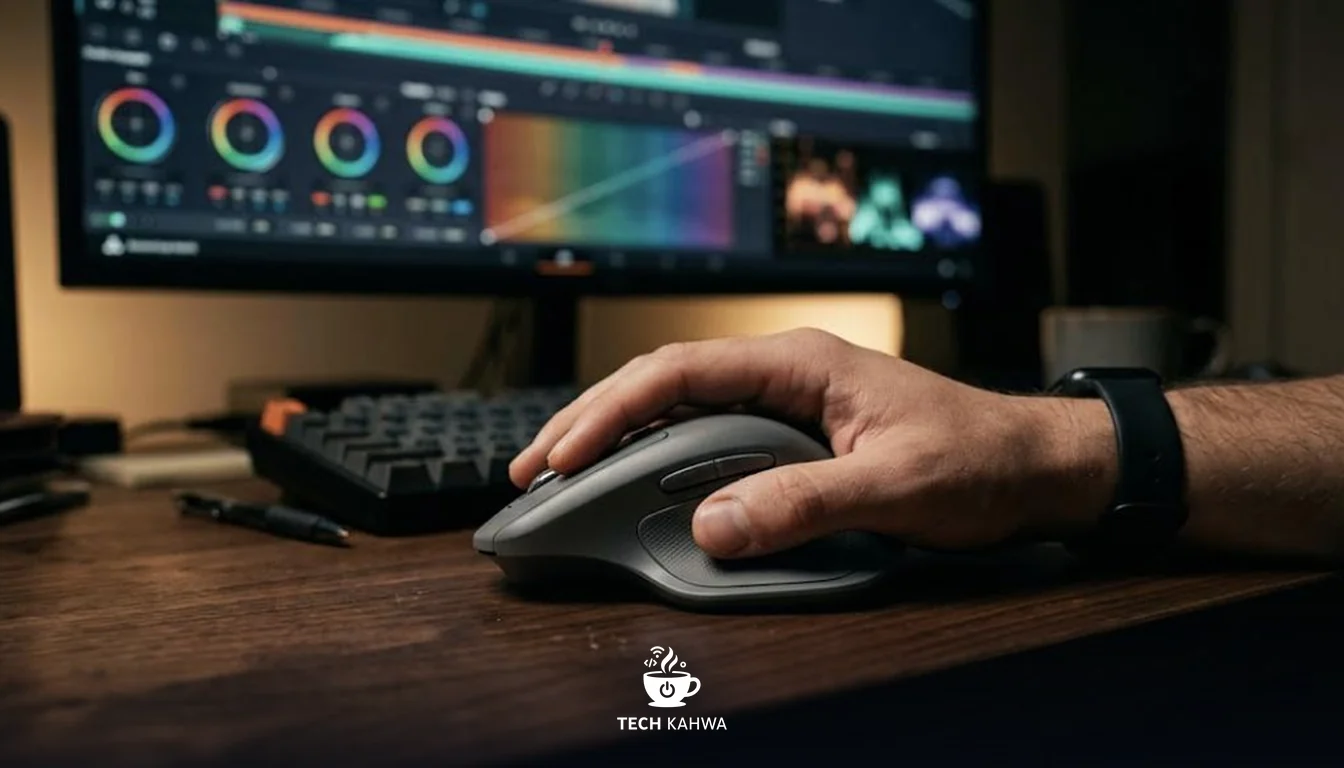
The MX Master line is built for people who spend all day in spreadsheets, timelines and design tools, and the MX Master 4 adds something new under your thumb: a Haptic Sense Panel that vibrates to confirm actions. It went on sale on September 30 at USD 119.99, or EUR 129.99 in Europe.
This is a documented review: I brought together Logitech’s official specs and the launch coverage published by outlets such as Business Wire and 9to5Toys, then added my own verdict. One week after launch, full lab reviews with measured results had not yet appeared, so everything below is based on Logitech’s claims plus my own reading of them, and my rating is provisional.
At a glance
| Item | Details |
|---|---|
| Price | USD 119.99 / EUR 129.99 |
| Arab market availability | No official Logitech price announced for the region. Check authorised local retailers |
| TechKahwa rating | 8.0/10 (provisional, based on specs before lab reviews) |
| Best for | Office workers, designers and editors who live in shortcuts and long documents |
| Skip if | You already own a recent MX Master and are happy with it, or you want a light gaming mouse |
Design and the new haptic panel
The MX Master 4 is a sculpted productivity mouse, and Logitech’s launch material focuses less on the shape and more on what is new.
The change is on the thumb side. The Haptic Sense Panel gives you customizable haptic feedback, and it works together with a new on-screen Actions Ring that you set up in Logi Options+. The idea is that you press or tap the panel, a ring of shortcuts appears on the screen, and a small vibration confirms your choice. For someone who jumps between tools all day, a single thumb gesture that opens your most used actions could save many trips to the menu bar.
What caught my attention, though, is the question Logitech’s announcement does not answer: how useful is haptic feedback in daily office work? On a mouse, I suspect the value will depend heavily on how many apps support the feature and how much time you spend setting it up. That is an open question until independent reviewers have lived with it.
The quieter changes may matter more. Logitech says the clicks make “90% less noise” than the MX Master 3, which is welcome in a shared office or a home where others are asleep. The body uses at least 48% certified post-consumer recycled plastic. The mouse comes in Graphite and Pale Grey, and there is a separate MX Master 4 for Mac.
Sensor, scrolling, connectivity and battery
The core specifications, all from Logitech, are:
- An 8,000 DPI sensor that tracks on glass
- A MagSpeed wheel that can “scroll up to 1,000 lines per second”
- A USB-C receiver with “twice the connectivity strength of previous models”
- Pairing with up to 3 devices
- “Full charge lasts up to 70 days”
- “1-minute charge powers up to 3 hours of use”
Tracking on glass is practical: many people work on glass desks or on café tables, and a mouse that works there without a mouse pad removes one small annoyance. The MagSpeed wheel is the other headline: at up to 1,000 lines per second, getting through a long document or a spreadsheet with thousands of rows takes a flick rather than a long scroll.
The move to a USB-C receiver makes sense for modern laptops, many of which no longer have USB-A ports. Logitech’s claim of stronger connectivity should help in crowded wireless environments, such as offices full of Bluetooth devices, though that is a claim to check in testing.
On battery, Logitech’s claim of up to 70 days per full charge, plus 3 hours from a single minute of charging, means running flat should rarely be a real problem.
| Official spec | Figure |
|---|---|
| Sensor | 8,000 DPI, tracks on glass |
| Scroll speed | Up to 1,000 lines per second |
| Battery | Up to 70 days per full charge |
| Quick charge | 1 minute for up to 3 hours |
| Click noise | 90% less than MX Master 3 |
| Paired devices | Up to 3 |
What we know and what is still open
Strengths on paper:
- A thumb panel with haptics and an on-screen Actions Ring for shortcuts.
- A very fast MagSpeed wheel and a sensor that tracks on glass.
- Much quieter clicks, according to Logitech.
- Very long battery life and fast top-up charging.
- Works across several devices and operating systems.
Open questions until lab reviews arrive:
- How much the haptics add in real work, and how many apps support them.
- Whether the upgrade is large enough for owners of a recent MX Master.
- Real battery life under daily use, compared with the 70 day claim.
- Weight and comfort over long sessions, which the announcement does not cover.
Who should buy it
If you are still using an older MX Master or a basic office mouse, the MX Master 4 looks like a safe upgrade. The fast scroll wheel, the long battery life, the quieter clicks and the modern USB-C receiver add up to a clear step forward on paper.
If you already own a recent MX Master and it works well, I would wait. The headline addition is haptics, and in my view that feature has to prove itself before it is worth paying full price again.
In the Arab market, Logitech has not announced an official regional price for the MX Master 4. If you find it at a local retailer, check that you are buying from an authorised seller with a valid local warranty, and compare the price against the USD 119.99 launch price.
Verdict
On paper, the MX Master 4 is a careful update to a very popular productivity mouse. Logitech cut click noise sharply, moved to USB-C and added a haptic thumb panel that could speed up shortcut-heavy work.
The big unknown is whether haptics are genuinely useful or just a nice extra, and that answer will come from reviewers who test it over weeks. Until then, I see it as a strong candidate for anyone buying a new premium office mouse, and an optional upgrade for recent MX Master owners. TechKahwa rating: 8.0/10, provisional.
Sources
- Business Wire, Logitech MX Master 4 press release, September 30, 2025, https://www.businesswire.com/news/home/20250930356623/en
- 9to5Toys, Logitech launches new MX Master 4 mouse with haptic feedback, September 30, 2025, https://9to5toys.com/2025/09/30/logitech-launches-new-mx-master-4-mouse-haptic-feedback/